Thinking
Lesson learned: designing for IoT
Working with physical objects changes the rules. Interfaces need to be rethought - interactions, priorities, flows - within constraints you often can't fully control.
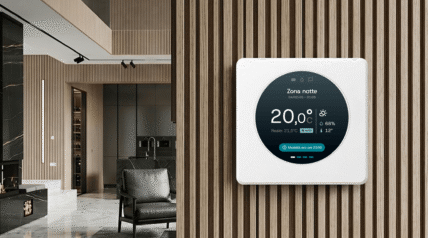
When we talk about IoT - and smart objects or smart devices in particular - it's easy to imagine a "compressed" version of digital design: smaller screens, less space, fewer features.
Working on it, though, changes everything. We learned this firsthand on a smart thermostat project: a small screen embedded in a physical object, part of a broader system.
A project that made it very clear: once design leaves the screen, the whole approach has to change.
The physical context is part of the interface
The first lesson is simple, but not obvious. We're designing an object in use, not just a screen.
The interface has to respond to real conditions: where the object lives, how it's used, what the lighting is like. For the thermostat, this translated into very concrete choices. A dark background, for instance, improved readability across different lighting conditions and reduced energy consumption on a device that activates frequently throughout the day - far from a minor concern.
Details that rarely come up in web or app design became central here.
A thermostat is something you glance at and adjust quickly, often without stopping. It's a fast, almost automatic interaction that leaves little room for exploration. Information needs to be immediately readable, actions need to be quick, and there's no space for complex flows or exploratory interactions.
Designing for IoT means designing for situations, not screens.
Small screen ≠ mobile
In this context, a small screen - round, in our case - is not a compressed version of an app. At such limited dimensions, explicit navigation becomes difficult: every visual element competes with the others.
On the thermostat, there was no room for a traditional menu. Adding a hamburger icon would have meant sacrificing more important information.
The solution was to shift the weight of interaction onto gestures: a swipe to open the menu, lateral movements to switch views, direct interactions with the main elements.
The reference point was wearable devices, characterised precisely by small screens with their own interaction patterns, where every movement carries a specific, consistent meaning.
Some of those patterns come directly from the physical world (the thermostat dial, the bezel) and digital design had to find a way to translate them.
On a screen this small, mobile patterns simply don't work. You need different conventions, built for quick interactions in well-defined use contexts.
Choosing what to leave out
When space is limited, every decision becomes a prioritisation.
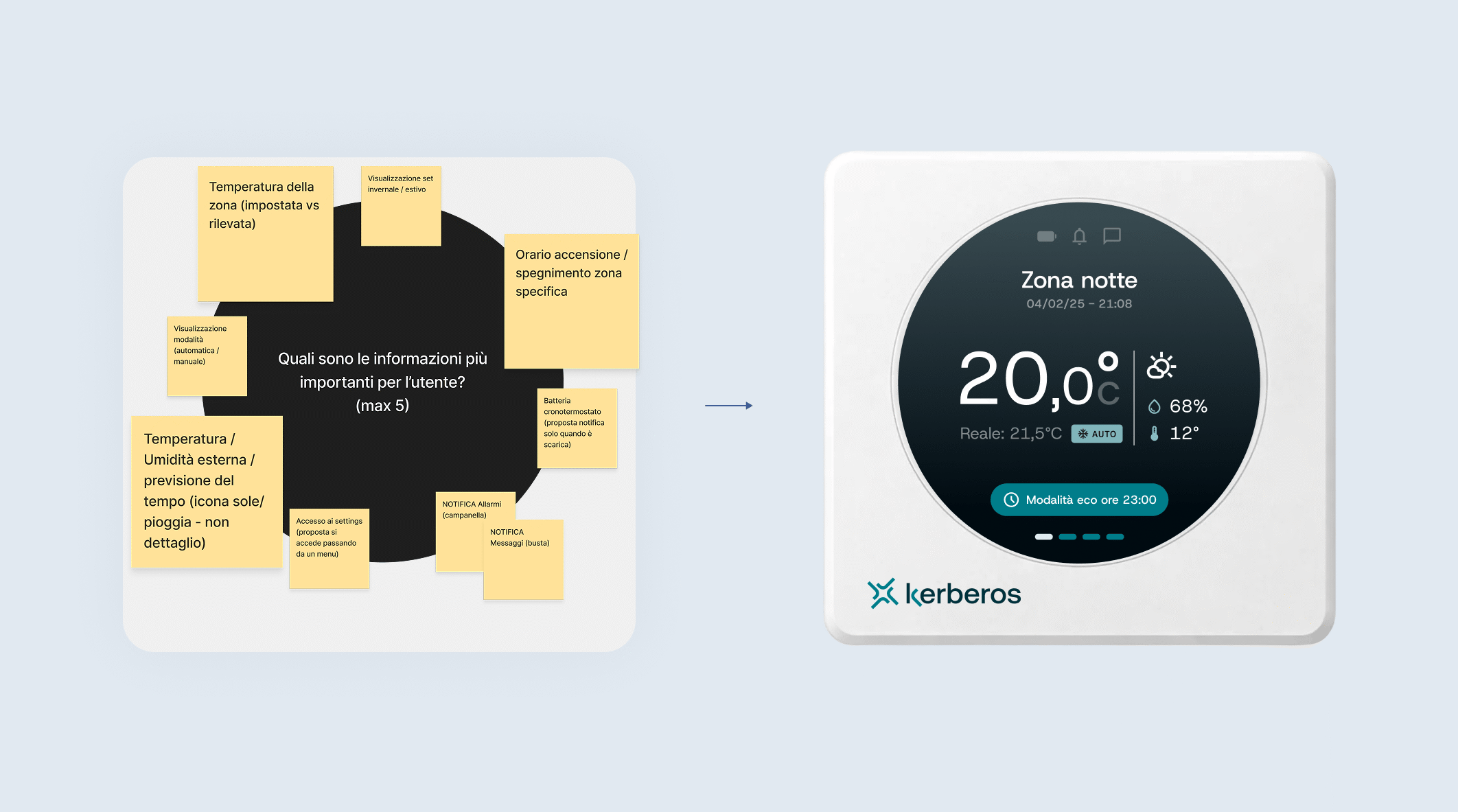
This phase made it clear how important it was to work closely with the client to map existing and desired features, then vote and reduce them.
The initial instinct was to include everything, but the most effective way to make the problem tangible was to show concretely what happens when you add too many elements to a screen a few centimetres wide.
Every element on the main screen was the result of something sacrificed elsewhere. The more information you add, the more complexity grows. The more selective you are, the more readable the interface becomes.
In physical systems, the quality of the experience depends more on what you remove than on what you add.
Micro-interactions become a system
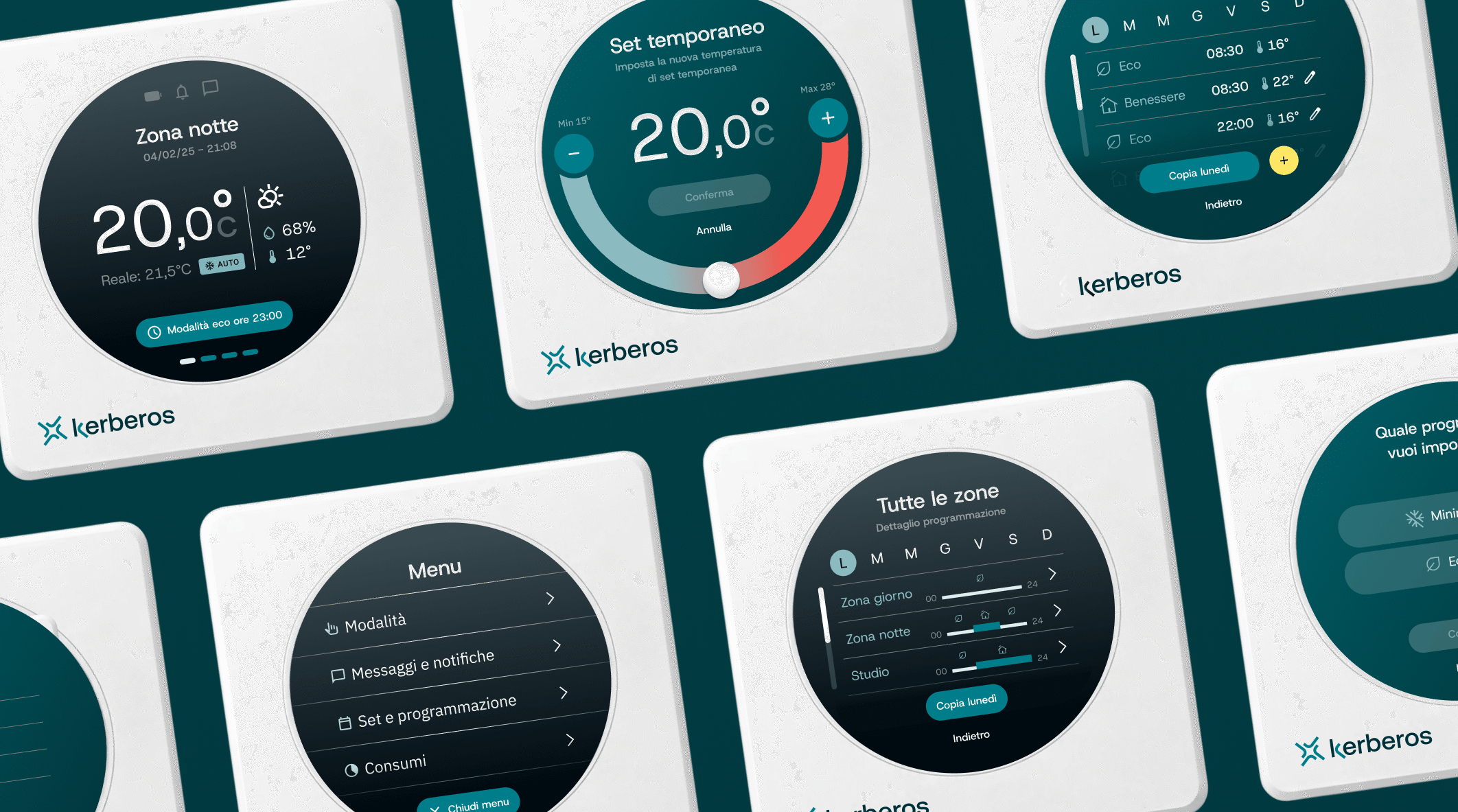
In conventional digital design, a degree of inconsistency across interactions often goes unnoticed. Not here. Every micro-interaction needs to be clear, consistent, and repeatable throughout the system.
A concrete example: editing hours and minutes. We initially explored a more inventive approach, using the circular shape of the display - interesting, but it required titles and descriptions to be understood, and that space simply wasn't available.
We could have used it in one place, but couldn't carry it through consistently across the rest of the interface. And beyond the space issue, there was another concern: the dial is an interesting interaction pattern, but not consolidated enough to assume users would recognise and use it correctly. So we dropped it.
Every local decision has to work globally, because in constrained environments, micro-interactions aren't details. They're structure.
Designing without technical control
One less obvious aspect of this kind of project is the level of technical uncertainty you're working with.
We were designing an interface for hardware that was entirely outside our control: a device already on the market, with its inherited constraints, with no ability to intervene on the physical product. Scroll smoothness, for example, was uncertain until the very end.
The goal is to build a system that works even under worse conditions, anticipating fallbacks and simplifying wherever possible. In our case, instead of dynamically hiding and revealing elements during scroll, we went with anchored CTAs. Less elegant, but reliable.
There's also a more operational side. Verifying that an element was legible at the screen's actual dimensions meant manually simulating those proportions in Figma, ruler in hand. When you design for standard screens, you send the prototype to your phone and see it, but with non-standard physical objects, that process breaks down, and you have to find artisanal workarounds.
Designing for IoT means designing for reality, not for the best case.
What we're taking away
Working with connected objects means, perhaps more than in any other context, really designing. No shortcuts, no relying on established patterns, no solutions that work because we've seen them work somewhere else before.
Everything we've described in this article - accounting for the physical system, carefully choosing what to remove, building coherent micro-interactions, designing for real-world scenarios rather than best cases - is the direct consequence of working in territory where certainties are few and conventions don't go far enough.
And it's precisely in this space that an opportunity opens up: to design experiences that don't just live on screens, but inside objects and real contexts, where design can make a difference in a far more concrete way.
It's also, incidentally, one of the spaces where AI design tools and vibe coding help the least. Those tools work well where there are consolidated standards to draw from, and here, we're on the other side: less automation, more thinking.