Thinking
Content accessibility is decided before you produce it
Accessibility checks almost always focus on websites and apps, but most of what actually reaches customers and citizens is Word, PowerPoint, Excel and PDF documents, and that's where the blind spot opens up.
A sustainability report in PDF. The Word report a client receives every quarter. The slide deck that accompanies a tender. The letter that tells thousands of people their contract terms have changed. These are the pieces of content that actually reach customers and citizens, produced by communications, marketing, internal editorial teams, legal departments and product documentation.
When accessibility enters a workflow, it usually enters at the end, as a check on something that’s already been produced, a step nobody ever designed, rather than one somebody merely overlooked. But that’s the point where there’s the least room to manoeuvre, because corrections cost more than they would have upstream, and only go as far as what can be fixed without redoing the work.
A document with the wrong reading order can be fixed in half an hour. A document built on the wrong structure can only be redone from scratch. Almost no one redoes it.
The accessible surface is made of documents
Since 28 June 2025, the threshold for the digital accessibility obligation has dropped, from the previous 500 million in revenue to today’s two million euros and ten employees. We wrote about this back when it was still a horizon rather than a deadline already passed, in a piece on how accessibility can become an opportunity rather than a constraint.
It applies to digital documents just as much as to a website or an app. But the audience has changed: thousands of organisations that have never had an accessibility process now find that their documents are the first thing they need to put in order.
Where accessibility oversight exists at all, it’s almost always on the website and the apps. It’s territory with established standards and suppliers who can be held accountable. But the surface people actually come into contact with is often a different one. A citizen encounters public administration through a notice to download, a bank customer receives a contract in PDF and a summary in Excel, while people working in companies spend their day inside presentations and shared documents. These files are the largest and most neglected part of an organisation’s accessible surface.
The reason they remain uncovered is organisational before it is technical. Accessibility expertise is concentrated where digital products get designed, while documents are born elsewhere, in functions working to tight deadlines and on templates inherited over years, where no brief has ever included an accessibility requirement. Italy’s training offer follows the same geography, and is aimed mainly at people who work on websites and applications.
When technical compliance stops being enough
Moving from the website to documents also changes how content gets consumed: a document is read in sequence, from beginning to end. A correct structure guarantees the reading order and the ability to jump to the point of interest, not comprehension.
Production tools already come with a built-in accessibility checker, and it’s useful: it catches images without alt text and insufficient contrast. What it doesn’t catch is anything that requires understanding what the document actually means: a reading order that makes visual sense but not logical sense, a language left undeclared in a translated paragraph, a table used to lay out a page, a heading made bold instead of tagged as a heading. These are errors a machine can’t distinguish from deliberate choices.
Then there’s a part the guidelines don’t address at all: vocabulary, sentence structure, sentence length, and the linguistic habits that settle into institutional documents and that nobody questions because that’s how things have always been written.
A communication that’s technically compliant but written in bureaucratic jargon remains unusable for people with a cognitive disability and for people reading in a language other than their own. Plain language is what decides whether an accessible document is also a usable one, and that’s the part no automated check can reach.
Who can stop a document
Almost every content production workflow has four steps: someone who writes, someone who shapes it, someone who approves it, someone who publishes it. The operational question is about roles: at which of these steps does someone have the authority to say a document doesn’t go out? And does that person know what to look for, to recognise it?
In digital products, that oversight is built by making accessibility decisions explicit, for instance through accessibility annotations. In documents, far more people are involved, so oversight needs to live in the templates and review moments that already exist, rather than depend on the individual attention of whoever produces them.
For the archive that’s already published, the answer is less comfortable: you don’t fix everything, you prioritise by actual use. The production workflow, by contrast, gets fixed once and stops generating new debt.
Why we turned this into an on-demand course
We’ve been working on these problems for years, across all kinds of consulting projects, from banking to public administration, where document accessibility is a daily issue. But consulting reaches the project team, while the people who produce documents every day are left out. That’s exactly the gap that convinced us to put the method we use on projects into a course, something we’re doing for the first time.
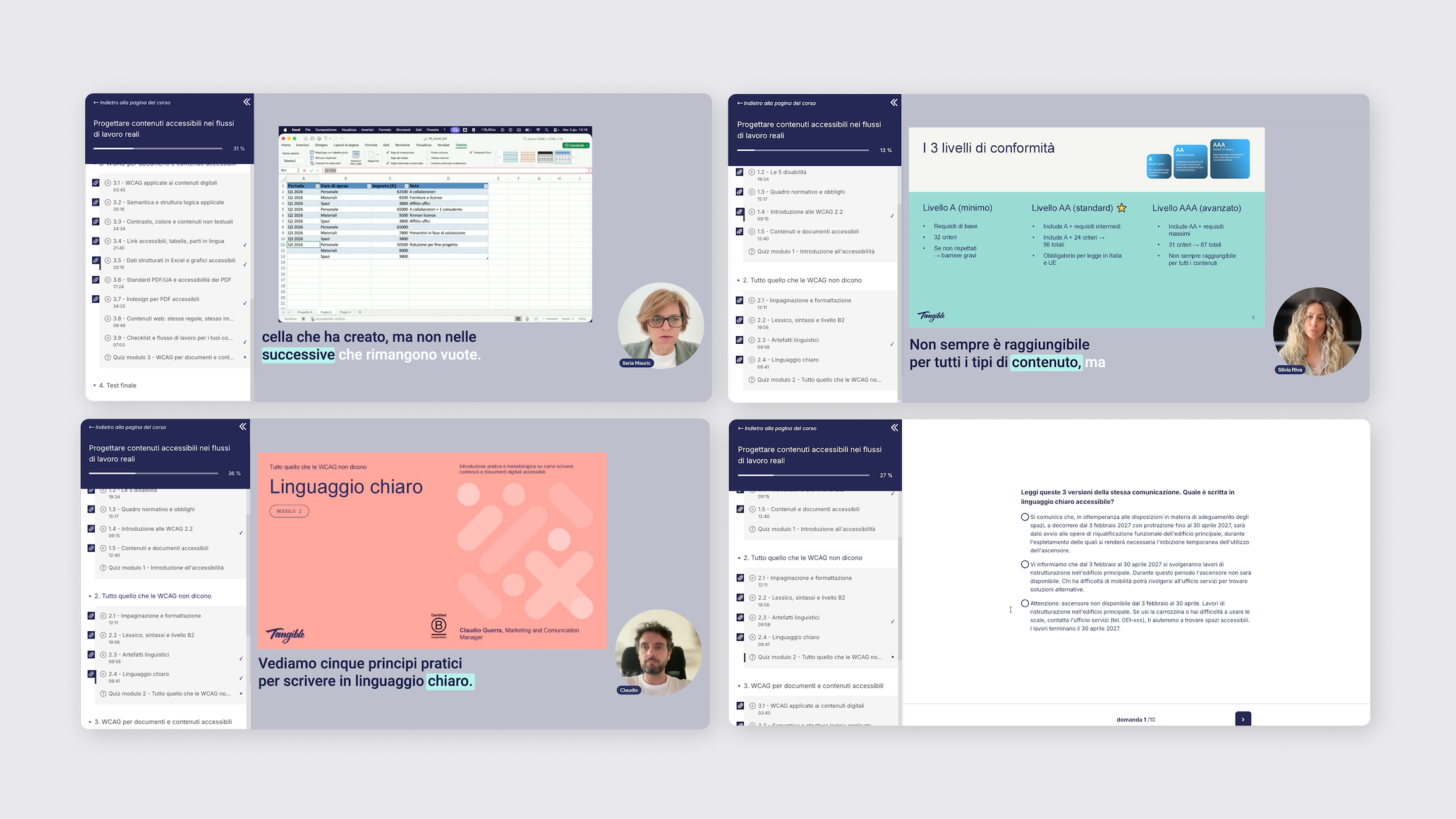
It’s called “Progettare contenuti accessibili nei flussi di lavoro reali”, delivered in Italian, and includes three modules, eighteen lessons and almost five hours of video, with a quiz for each module and a final test. The hands-on part alone accounts for almost three hours and covers Word, Excel, PDF and InDesign. At the end, we issue a certificate of completion.
The lessons are taught by seven people from our team who work on real projects: Ilaria Mauric, Caterina Amato, Silvia Riva, Valentina Marzola, Giada Cantoni, Claudio Guerra and Rita Caporrino. Ilenia Baronio also contributed to the content.
The course focuses on documents that people write and lay out to be read. It doesn’t cover fillable or signable documents, or anything generated automatically by information systems. It’s designed to be followed independently, and can also be activated for a whole team, which is the way it makes the most sense, given that the problem it addresses is spread across different functions.
When the decision moves upstream, content accessibility stops being a stand-alone project and becomes part of the job for anyone who produces documents. It’s the point where an organisation can stop chasing corrections, and that’s exactly why we built this course: to bring the skills to where documents are born, before there’s anything left to correct.